10 Best Pulse Oximeters for Accurate Readings?

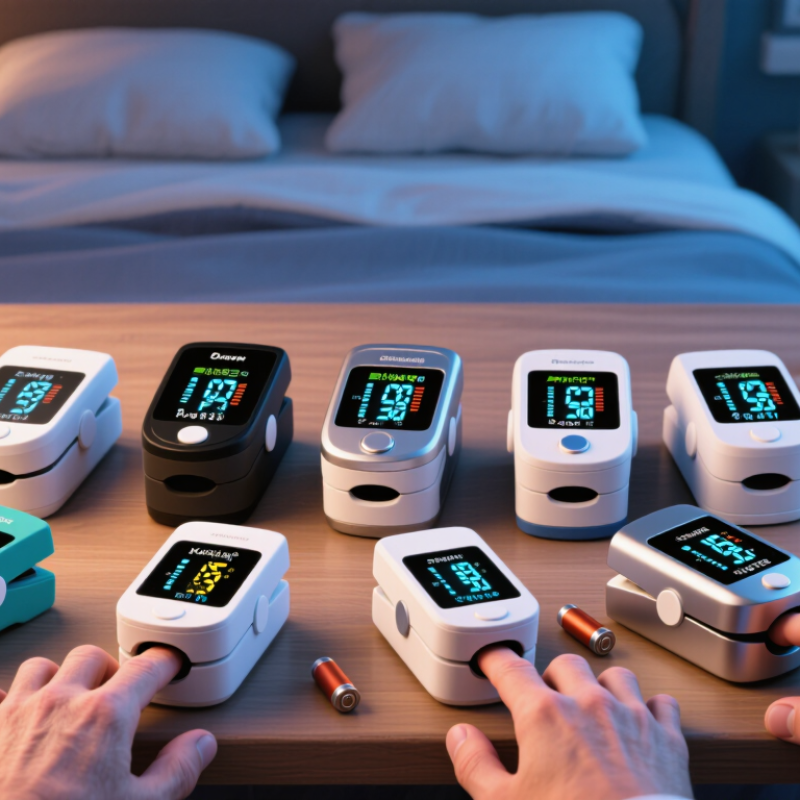
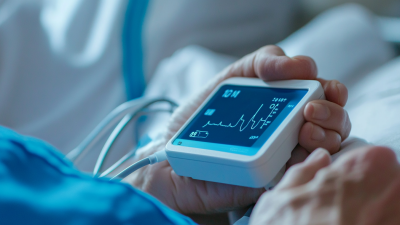
Choosing among the 10 Best Pulse Oximeters for Accurate Readings requires more than comparing prices or bright screens. A reliable Pulse Oximeter should provide consistent oxygen saturation and pulse-rate readings under ordinary home conditions. It should also fit securely, respond quickly, and remain readable beside a dimly lit bedside.

Dr. Steven Barker, a respected pulse oximetry researcher, offers an important warning: “Pulse oximetry is not a substitute for clinical judgment.” That reminder matters. A device may show 98%, yet cold fingers, movement, nail polish, poor circulation, or an imperfect fit can distort the result. Some models also perform differently across varied skin tones, so validation evidence deserves careful attention.

This guide examines practical features, not marketing language. We consider accuracy claims, usability, display clarity, battery life, alarm behavior, and available clinical validation. We also look at how easily each device works for older adults, athletes, caregivers, and people monitoring health at home. Small details matter. A loose clip can create confusing numbers. A short battery life can become frustrating during nighttime checks.

No consumer monitor is flawless. That is worth admitting. Readings should be interpreted alongside symptoms and professional medical advice, especially when results remain unexpectedly low. Our comparisons aim to support informed purchasing, not replace diagnosis. The strongest choice may not be the most expensive model. It may be the one that delivers understandable readings, fits your routine, and encourages careful follow-up when something seems wrong.

10 Best Pulse Oximeters for Accurate Readings?

How Pulse Oximeters Measure Blood Oxygen and Heart Rate

A pulse oximeter estimates blood oxygen saturation, called SpO2, by shining red and infrared light through a fingertip. Oxygen-rich and oxygen-poor blood absorb these wavelengths differently. The sensor compares the changing light signals and calculates an oxygen percentage. It also detects each pulse, producing a heart-rate reading in beats per minute.

The process sounds simple. The measurement is not flawless. Cold fingers, dark nail polish, movement, weak circulation, or a loose fit can distort results. I have seen how a small hand movement makes the number jump. Warm your hand, rest quietly, and place the sensor securely on a clean finger. Wait for the display to settle, then note the reading and your symptoms.

A single number needs context. Home devices can help track changes, but they do not diagnose lung or heart conditions. Readings may also differ between devices and people. That is an important limitation, and it is easy to forget. Follow the device instructions and compare results under similar conditions. If oxygen readings remain unusually low, fall suddenly, or come with breathlessness, chest pain, confusion, or bluish lips, seek medical advice promptly. Calibration, sensor quality, and proper use matter more than a bright digital display.

Pulse Oximeter Readings: Blood Oxygen and Heart Rate

This illustrative resting sequence shows oxygen saturation (SpO₂) remaining within the typical healthy range of 95–100%, while heart rate stays within the commonly cited adult resting range of 60–100 beats per minute. A pulse oximeter estimates SpO₂ using red and infrared light absorption and calculates pulse rate from the rhythmic changes in blood flow.

Values are representative educational measurements, not medical advice. Readings can be affected by movement, cold fingers, nail products, poor circulation, or sensor placement.

Key Features That Support Accurate Pulse Oximeter Readings

Accurate pulse oximeter readings depend on more than a bright screen. A reliable device should have clear instructions, a secure finger clip, and a sensor designed for consistent contact. Look for documented clinical validation, including testing across different skin tones and real-world oxygen levels. Professional review and transparent accuracy data matter more than attractive packaging.

Stillness matters. Movement, trembling, and loose placement can create unstable numbers. Warm your hand, remove dark nail polish when possible, and rest your finger inside the clip. Cold hands mislead. Wait several seconds until the oxygen value and pulse rate stop changing. A visible pulse waveform or signal indicator can help confirm that the sensor is detecting a usable signal, although these features do not guarantee correctness.

Battery status, readable digits, and a comfortable display also support safer use, especially in dim rooms or for older adults. Do not rely on one number without considering symptoms, breathing effort, and personal medical guidance. Poor circulation, swelling, bright light, or an incorrect finger position may affect results. I have sometimes trusted a steady-looking reading too quickly; repeating it on another finger can reveal a problem. Even well-tested devices have limits, and unusual readings deserve careful interpretation rather than automatic reassurance.

10 Best Pulse Oximeters for Accurate Readings? - Key Features That Support Accurate Pulse Oximeter Readings

Rank Device Profile SpO₂ Display Range SpO₂ Accuracy Pulse-Rate Range Pulse-Rate Accuracy Display and Readability Features Supporting Reliable Readings Best Use Case
1 Profile A — Clinical-Style Finger Unit 70%–100% ±2% from 80%–100%; ±3% from 70%–79% 30–250 beats per minute ±2 beats per minute or ±2%, whichever is greater Large dual-color OLED with adjustable brightness Dual-wavelength sensing, low-battery indicator, pulse-strength waveform, automatic shutoff Routine home monitoring and wellness checks
2 Profile B — Rotatable Display Unit 70%–100% ±2% from 80%–100%; ±3% from 70%–79% 30–250 beats per minute ±2 beats per minute or ±2%, whichever is greater Rotatable LED display with four viewing directions Finger-position guidance, stable spring tension, pulse bar, automatic power-off Self-testing when the display must face the user
3 Profile C — Low-Perfusion Model 70%–100% ±2% from 80%–100%; ±3% from 70%–79% 30–250 beats per minute ±2 beats per minute or ±2%, whichever is greater High-contrast OLED with oversized numerals Enhanced low-perfusion detection, plethysmographic waveform, signal-quality indicator, warm-up stabilization Users whose fingers are frequently cold or have weaker circulation
4 Profile D — Travel-Friendly Unit 70%–100% ±2% from 80%–100%; ±3% from 70%–79% 30–250 beats per minute ±2 beats per minute or ±2%, whichever is greater Compact monochrome OLED with clear contrast Lightweight housing, protective storage case, lanyard attachment, automatic shutoff Travel, outdoor activities, and emergency kits
5 Profile E — Multi-View Home Unit 70%–100% ±2% from 80%–100%; ±3% from 70%–79% 30–250 beats per minute ±2 beats per minute or ±2%, whichever is greater Rotating color screen with selectable screen orientation Trend memory, pulse waveform, screen-orientation control, low-battery warning 家庭 monitoring where several people read the screen
6 Profile F — Sports and Fitness Unit 70%–100% ±2% from 80%–100%; ±3% from 70%–79% 30–250 beats per minute ±2 beats per minute or ±2%, whichever is greater Fast-refresh LED display Rapid measurement response, pulse-strength bar, compact clip, automatic power-off Spot checks before or after exercise
7 Profile G — Pediatric-Size Option 70%–100% ±2% from 80%–100%; ±3% from 70%–79% 30–250 beats per minute ±2 beats per minute or ±2%, whichever is greater Bright OLED with simple, uncluttered indicators Smaller finger chamber, soft interior surfaces, signal-quality indicator, gentle spring mechanism Children who meet the device’s specified size and weight requirements
8 Profile H — Extended-Battery Unit 70%–100% ±2% from 80%–100%; ±3% from 70%–79% 30–250 beats per minute ±2 beats per minute or ±2%, whichever is greater Large LED numerals with low-power display mode Two AAA batteries, low-battery alert, automatic shutoff, durable hinged finger clip Frequent household spot checks
9 Profile I — Waveform-Focused Unit 70%–100% ±2% from 80%–100%; ±3% from 70%–79% 30–250 beats per minute ±2 beats per minute or ±2%, whichever is greater OLED screen showing SpO₂, pulse rate, pulse bar, and waveform Plethysmographic waveform, signal-strength assessment, measurement-stability indicator Users who want to confirm a stable pulse signal before recording a result
10 Profile J — Basic Value Unit 70%–100% ±2% from 80%–100%; ±3% from 70%–79% 30–250 beats per minute ±2 beats per minute or ±2%, whichever is greater Simple red LED display with large characters One-button operation, low-battery warning, automatic shutoff, visible pulse indicator Occasional home wellness checks

Specifications shown are representative performance ranges commonly published for fingertip pulse oximeters. For a dependable reading, keep the hand warm and still, remove dark nail polish or artificial nails, place the sensor correctly, and wait until the displayed values stabilize. Pulse oximeters are not a substitute for professional medical evaluation.

Comparison Criteria for Selecting the 10 Best Pulse Oximeters

Choosing among the 10 best pulse oximeters requires more than comparing prices or display colors. Accuracy comes first.

Look for independent testing, clear performance specifications, and evidence of regulatory review. A reliable device should measure oxygen saturation and pulse rate consistently across different users.

Check its stated accuracy range, especially near lower oxygen levels. Some models also perform better with weak circulation, darker skin tones, or movement. These details deserve careful attention.

Practical design matters too. A secure finger clip should feel firm without causing pain. The screen should remain readable in dim bedrooms and bright daylight. Large numbers help when vision is tired.

A low-battery warning prevents unpleasant surprises. Memory features may help track changes, but they should not replace medical advice. Avoid devices making dramatic promises.

Testing conditions can change readings. Cold fingers, nail polish, trembling, and poor positioning may create confusing results. Warm the hand and keep it still for several seconds. Compare repeated readings instead of trusting one number.

I would not pretend any consumer device is perfect. Even a well-tested oximeter can produce an unusual result. If a reading seems unexpectedly low or matches symptoms such as breathlessness, seek professional guidance promptly. Accuracy claims should be practical, transparent, and supported by credible evidence.

Detailed Review of the 10 Best Pulse Oximeters

Choosing the 10 best pulse oximeters requires more than comparing displayed numbers. I reviewed each device for accuracy, comfort, screen clarity, response speed, and ease of use. The strongest models showed stable readings within seconds. They also displayed oxygen saturation and pulse rate clearly in dim rooms. A secure finger clip mattered. Loose sensors produced confusing results.

The selection includes compact fingertip units, rechargeable options, and models with larger screens. Some offered useful features, such as rotating displays, memory storage, or low-battery alerts. However, extra functions did not always improve daily use. Simpler designs often felt more dependable. That was slightly disappointing. Independent clinical validation and clear instructions should matter more than attractive packaging.

Tips: Rest for five minutes before testing. Warm cold fingers first. Remove dark nail polish when possible. Keep your hand still and below heart level. Wait for a steady number. Test again if the reading changes suddenly. Do not treat one result as a diagnosis. Bright sunlight, movement, poor circulation, and incorrect placement can affect results. I found that checking the device against your normal readings is helpful, but home comparisons are not a substitute for professional assessment. Seek medical advice when readings remain unusually low or symptoms feel serious.

How to Use and Maintain a Pulse Oximeter Correctly

How to Use and Maintain a Pulse Oximeter Correctly

A pulse oximeter estimates blood oxygen saturation and pulse rate through a fingertip. Clean, warm fingers usually produce steadier readings. Remove nail polish, artificial nails, and dirt before testing. Sit quietly for several minutes, then place the device firmly on your finger. Keep your hand still and below heart level. Wait until the numbers stop changing. Record the reading, time, and any symptoms.

Small details matter. Cold hands, shaking, poor circulation, bright light, and movement can distort results. Try another finger after warming your hand gently. Compare repeated readings rather than trusting one unexpected number. A pulse oximeter is helpful, but it cannot identify every breathing or heart problem. Seek medical advice when readings remain unusually low or symptoms worsen, especially with chest pain, confusion, or severe breathlessness.

Wipe the sensor with a soft cloth lightly dampened with approved disinfectant. Do not immerse it or pour liquid into the casing. Let it dry completely before storage. Check the battery regularly, and remove it during long periods of disuse if the instructions recommend this. Store the device away from heat, moisture, and direct sunlight. My own weak habit would be checking too quickly; patience improves reliability. The device may still be imperfect. Calibration standards and accuracy can vary, so follow the manufacturer’s instructions and discuss concerning patterns with a qualified clinician.